
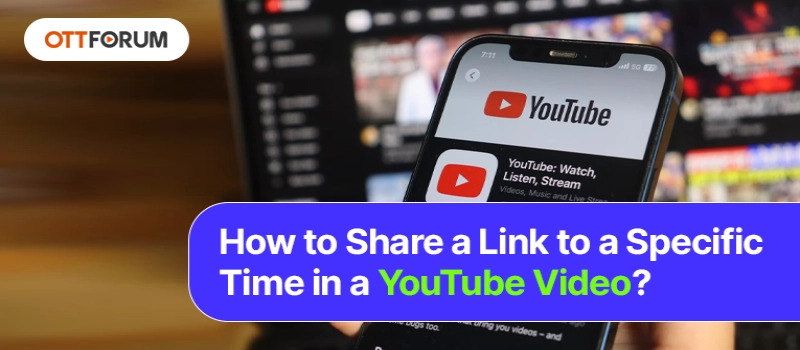
Do you want to know how to share a link at a specific time in a YouTube video? If yes, then you have made the right decision by opening up this page. Here, you will get to know everything you need to know about this. Moreover, you will get to know the details of the roundabout on smartphones.
You cannot expect a person to watch the whole video for a specific section that you want them to watch. Everyone's time is valuable, Therefore, giving value to another's time is important.
so, in order to save the time of the viewer, you must only share that section of the video that holds relevance in your eyes. It is not right to make a person sit through a long intro before the actual part comes up. This is why linking to a particular time is important.
If you want to share a particular part of the video, then it is important to create a link to a specific time in a YouTube video. This is extremely helpful if the video is long and the part to share with the other person comes after a while.
It is not difficult to link that part of the video to the browser. Open YouTube on your laptop and then search for the video that you wish to share. Now, carry out the instructions given below.
Step 1: Select the option of Share given below the video.
Step 2: Now, a pop-up will appear before you, and then tick the box given right next to Start at.
Step 3: After that, enter the starting time of the video. You will see the right time in the list if you press the button of share at the very moment when the video started.
Step 4: Now, select the option of Copy for copying the time-stamped web address. You will witness some changes in the web address because of the extra characters. These extra characters tell YouTube to link to the chosen time.
Step 5: Paste the copied link wherever you link. The person who will open the shared link will watch the shared video from the time selected.
You will see a share button on the YouTube app of your mobile device. You will realize that this particular option will allow you to copy the web address of the video and share it on other social networking apps.
There are a few options that are available if you want to link to a particular video using your mobile device.
Here, we are going to discuss the sharing process through a web browser.

How to Fix YouTube Disconnects My Internet?
~ May 23, 2026
How to Fix YouTube TV Playback Errors in No Time?
~ May 23, 2026
How to Fix YouTube TV Spinning Circle Problem?
~ May 23, 2026
How to Fix the YouTube Picture-in-Picture Not Working Issue?
~ May 23, 2026
How to Fix YouTube TV Keeps Freezing Buffering or Crashing?
~ May 23, 2026
How to Watch YouTube TV Away from Home?
~ May 23, 2026
How Many Devices Can Stream at the Same Time on Youtube TV?
~ May 23, 2026
How Much Is NFL RedZone on YouTube TV?
~ May 23, 2026
Top Searches in Youtube Tv
How to Fix Video Playback Error Code 224003?
May 23, 2026How to Stop or Disable Video Paused Continue Watching on YouTube?
May 23, 2026YouTube Keeps Resetting to Light Mode Fix it
May 23, 2026How to Loop YouTube Videos in Google Chrome?
May 23, 2026Why YouTube TV is not Working on Fire TV?
May 23, 2026How to Fix the YouTube Picture-in-Picture Not Working Issue?
May 23, 2026How Many Devices Can Stream at the Same Time on Youtube TV?
May 23, 2026How to Fix YouTube Disconnects My Internet?
May 23, 2026How To Delete A YouTube Account?
May 23, 2026How to Watch YouTube TV Away from Home?
May 23, 2026